




More About This Resource
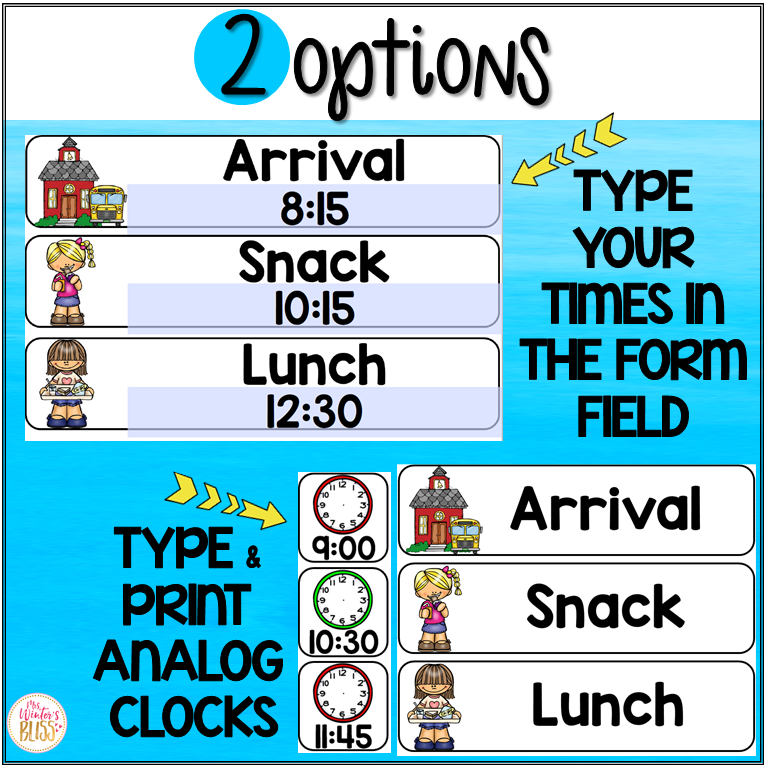
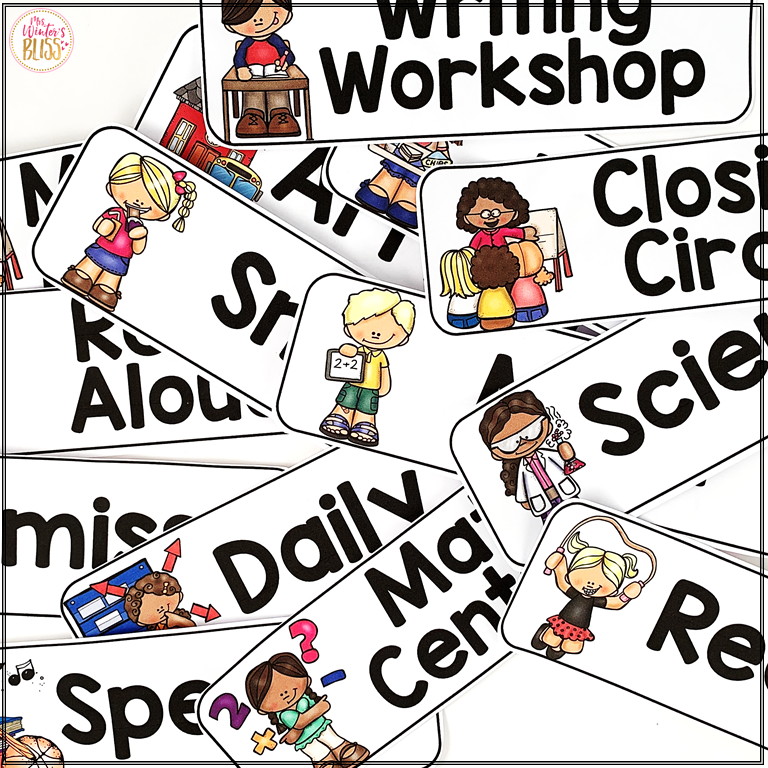
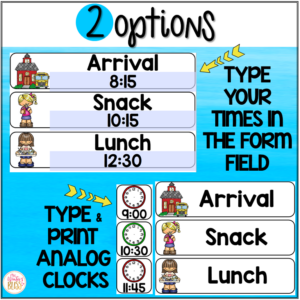
Use these EDITABLE daily visual schedule cards (with and without times) in your classroom to help you and your students be prepared and organized for each school day! This daily schedule cards resource includes editable cards so you can easily customize them for your class schedule.
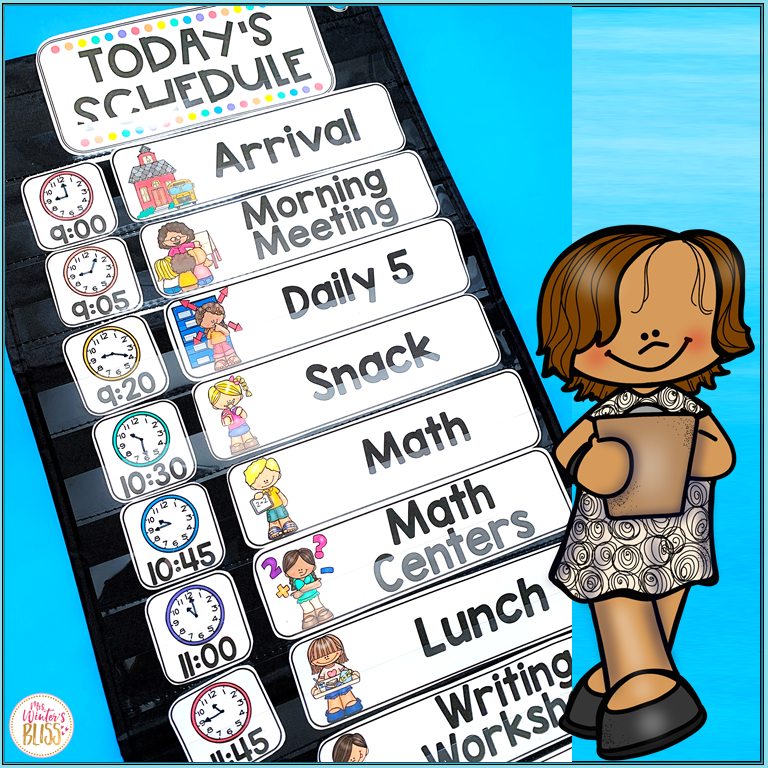
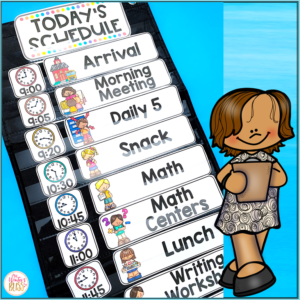
These visual schedule cards are NO PREP! Simply print the schedule cards and display them on your bulletin board, whiteboard, or in a pocket chart to easily change out to match your daily schedule! Each card size is 2″H x 7.9″H.
This Daily Schedule are appropriate to use in any elementary school classroom. They will support your classroom management as they allow transitions to run more smoothly and students to know what to expect throughout the day.
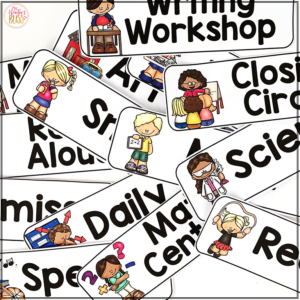
Visual Daily Schedule Cards Included in this resource: (editable versions included too)
Arrival
Snack
Bathroom
Recess
Brain Break
Quiet Time
Closing Circle
Clean Up
Dismissal
Calendar
Morning Meeting
Morning Work
Journals
Writing
Reading
Language Arts
Grammar
Spelling
Social Studies
Science
Math
Handwriting
Read-Aloud
Daily 5
Centers
Silent Reading
Guided Reading
Reading Centers
Math Centers
Writing Workshop
Reading Workshop
Math Workshop
Enrichment
Intervention
Genius Hour
Technology
Show & Tell
Specials
Music
Art
Library
Computer Lab
PE
Health
Guidance
Drama
Dance
Language
Religion
STEM
STEAM
Fun Friday
Free Choice
Special Guest
Class Celebration
Movie
Field Trip
Assembly
Buddies
ANALOG CLOCKS (you will need to draw the hands to match the times in your schedule)
Here is what teachers are saying about these EDITABLE Daily Schedule Cards:
“I love that the schedule cards display the time digitally and on an analog clock, and that there are pictures to support their literacy.”
“Using these to make a daily visual schedule for my students is a great way to create routine and structure and ease with transitions.”
“I LOVE these!! They are so perfect to use as a visual schedule, and having the ability to edit the clock times and cards is awesome!”
“We love our visual schedule. It provides a sense of security for some of my learners as they can look and know what is coming up in our day.”
Allison M. –
This was easy to use and put up right away without having to use the editable function to get it into place. The editable function will come in handy as we customize our schedule throughout the year!
Brittney C. –
This is a great resource, and I love that it’s EDITABLE
Kaliyah M. –
Helpful resource for creating a visual schedule for my students, however, I didn’t like how there was only one recess you could create and add the times in (our school has different times). Next time I think having this available on Google Slides or PowerPoint to move around and customize would be a bit easier and user-friendly. Shared this resource with a friend but she likes it better. Cheers.
Svetlana A. –
I love the schedule cards – they’re exactly what I needed and look great! However, I did run into an issue with the editable pages. Unfortunately, the font doesn’t stay consistent. As soon as I click to edit the text, it switches to a smaller font, and I’m unable to match it back to the original style. It would be helpful if the editable fields maintained the original formatting.
Christina –
Hi! am sorry you are having difficulty, I have some suggestions that will likely solve your problem.
If you open the file in your internet browser, temporary files. or downloads the autofill features will not work!
You MUST open the PDF in your Adobe reader- it can be tricky, I made a quick video for you https://go.screenpal.com/watch/cTjDoOn2q3q
Reach out if you need more help! -Christina
Lisa G. –
“This resource was exactly what I was looking for. It’s organized, visually appealing, and the directions are clear. My students stayed engaged, and it worked well for different learning levels. I’ll definitely be using it again and again!”
Rebecca L. –
This visual schedule is so helpful in my kindergarten classroom. I loved that it is editable to allow for changes particular to my school. The kids love it and keep track of our progress through the day. Worth every penny!
Ally S. –
Resources do not open up due to limited access given by the creator.
Catherine S. –
This resource made making a visual schedule so quick and easy! I laminated all of the subject cards and placed velcro stickers on them so I can swap out the schedule on my blackboard each morning.
Rosa M. –
Great visual for my students. It helps them know what our day looks like.
Hannah S. –
I love that these schedule cards have text and pictures to help students who may not be able to read yet or are English Language Learners. Thank you for sharing this!
Angela D. –
I am not able to edit the writing. The font is super small and it won’t allow me to make it larger. I have a MAC.
Christina –
Hi Angela,
Thank you so much for your purchase! I am sorry you are having difficulty> I’ve created a few videos to help you solve the problem. https://go.screenpal.com/watch/cTjDoOn2q3q
If you open the file in your internet browser, temporary files, or downloads the editable features will not work!
You MUST open the PDF in your Adobe reader- it can be tricky, I made a quick video so you can verify it is open in Adobe >> https://youtu.be/Hdy_FZXD32I
Here is how to open:
Download and save the file to your computer.
Open the file: it should automatically open in your Adobe Reader- if it does not, right-click the file name and choose: Open in Adobe. If for some reason you don’t have the free reader installed on your computer, http://get.adobe.com/reader/otherversions/
Feel free to email me if you need more help!
~Christina
[email protected]
Arache W. –
These schedule card illustrations are so comprehensive theres a picture for every subject.
Jennifer C. –
In my first year of Kinder these worked great to help me get set up for our day. Worked great!
Hope F. –
These Editable Daily Visual Schedule Cards are an incredibly helpful classroom management tool for any elementary educator. With both timed and untimed options included, these cards offer the flexibility needed to meet the unique needs of your daily routine. The editable format makes customization quick and simple, so you can tailor the schedule to match your class activities perfectly.
One of the standout features is the no-prep design—just print and display. Whether you’re using a bulletin board, whiteboard, or pocket chart, the 2″ x 7.9″ card size fits nicely and makes transitions more seamless. Students can easily see and anticipate what comes next in their day, which significantly reduces confusion and improves classroom flow.
These visual schedule cards are especially effective for supporting routines, managing behavior, and fostering independence, making them a great fit for any elementary classroom. Overall, this resource is both practical and visually engaging—an excellent addition to any teacher’s toolkit.
Tia A. –
This will be perfect for me to use as my daily schedule
marissa P. –
These schedule cards are easy to use and edit. They have so many options but you can also make your own. Great variety!
Christie G. –
Like so many others, I am not able to edit the files to keep the matching font (and yes, I am opening in Adobe and have downloaded the KG Redhands font). When so many people have the same issue, there needs to be a better solution than watching a You Tube video that helps you determine if you’ve opened the file in Adobe (I have!). A video to show how to actually edit the file (without paying for Adobe) would be super helpful and appreciated. I really do like the cards and images though. If you don’t need to edit, then it is an awesome product!!!
Christina –
Hi Christie,
Here is a video showing you how to edit the file. https://go.screenpal.com/watch/cTjDoOn2q3q
Feel free to send me your file and I will make a screencast showing you how to edit your file. Happy to help so you can heave this resource for your classroom!
-Christina
[email protected]
Sarah S. –
Great loved this resource! It is so useful to use in my classroom
Grace S. –
The resource is exactly what I need, but I don’t have full Adobe Reader access to edit the file. Wish there was an easier option to edit (ex. powerpoint).
Kimberly E. –
I have this up on my calendar board. super cute pictures